The Truth About Aliasing
Is aliasing really the monster it seems? Learn what causes it, when it becomes a problem, and how to deal with it in real mixes.
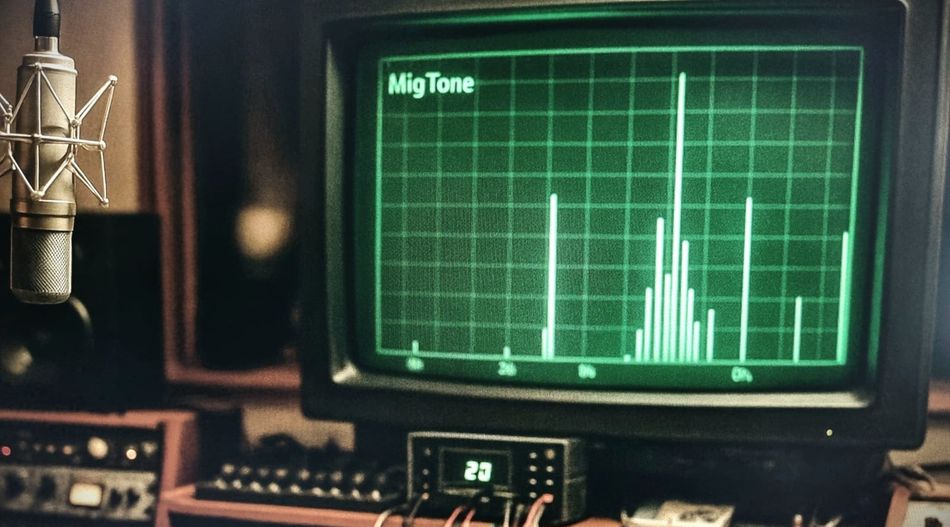
What Is Aliasing?
Aliasing is a type of digital distortion that appears when a signal produces harmonics that fall where they don’t belong. Unlike natural harmonics —which follow a musical relationship with the original sound— these are inharmonic, meaning they have no connection to the base note or timbre. When they mix with the real frequencies, they create an artificial color, as if the sound had been bent or internally misaligned.
What’s interesting is that aliasing often isn’t consciously detected: the ear doesn’t recognize it as a clear error, but the brain perceives something odd. That subtle inconsistency can lead to listening fatigue —a sense of tension or harshness that builds up over time, especially with bright or heavily processed sounds.
How and Why It Happens
Aliasing occurs when a digital non-linear process —like saturation, distortion, or compression— generates frequencies that exceed what the system can represent. That limit is known as the Nyquist frequency.
In digital audio, the Nyquist limit is determined by the sample rate. At 44.1 kHz, the highest frequency that can be reproduced correctly is 22.05 kHz. Anything beyond that point doesn’t disappear —it folds back down into the audible range, landing in the wrong place.

DIGITAL: The orange line shows the original tone, while the green lines represent its harmonics, which bounce back around the Nyquist frequency (22.05 kHz) once they exceed it, creating the aliasing effect.
In an analog system, those harmonics would simply extend beyond the audible range —above 20 kHz— and vanish naturally without causing problems. In digital, however, we’re confined within a fixed ceiling: when a frequency exceeds that limit, the system reflects it downward, as if it were folding over itself. That “reflection” is the core of aliasing —a frequency that can’t exist as it is reappears as a lower, inharmonic tone.

ANALOG: The harmonics (green) in an analog system don’t bounce or fold back at 22.05 kHz, they freely extend beyond the audible range, while the original tone (orange) stays untouched.
Is It Always a Problem?
Aliasing isn’t always a problem; it depends on the type of sound, the amount of saturation, and the process being used.
On pure-tone instruments like synthesizers, sine waves, or clean pads, aliasing can become noticeable even with low distortion levels —for example, at THD values around –30 to –40 dBFS. That’s because the inharmonic artifacts produced by aliasing stand out against the simple timbre of the sound.
In contrast, on full mixes or instruments with rich harmonic content (guitars, pianos, vocals, etc.), those inharmonics are usually masked within the spectrum. Only when using very aggressive processes or high THD levels (above –15 dBFS) does aliasing start to audibly affect the brightness, clarity, or naturalness of the sound.
There’s also a middle ground: sometimes aliasing isn’t consciously heard, but it can still contribute to listening fatigue or a subtle sense of harshness across a mix. There’s no universal rule —it depends on the material, the processor, and how many non-linear stages are stacked together.
Aliasing doesn’t always make itself heard… but when it builds up, you feel it.
How to Prevent It
💡 Don’t push distortion too hard (unless it oversamples)
Most aliasing comes from heavy non-linear processing, things like hard saturation, overdrives, or aggressive compression. If a plugin doesn’t use oversampling internally, just go easy on it, especially with bright sounds or clean synth tones. You can still drive it, just don’t slam it.
💡 Use oversampling when you really need it
Oversampling helps a lot, but it’s not magic. It works by processing at a higher sample rate, which pushes those folded frequencies out of the audible range. The trade-off is that it can change the phase, slightly affect the tone, or eat more CPU and add latency. Some plugins do it better than others —so use your ears and your CPU meter, not just the “x8” button.
💡 Try higher sample rates, but don’t expect miracles
Working at 88.2 or 96 kHz can help reduce aliasing, but it’s not always worth it. Some distortion still folds back even at higher rates, and the extra CPU and storage can add up fast. If your system handles it and the project really benefits, go for it, but don’t feel like it’s a rule.
💡 Be mindful of how your plugins are designed
Not all plugins handle distortion the same way. Some are optimized for tone but generate high-order harmonics that don’t add much musically —and those can fold back as aliasing. Well-designed plugins usually find a better balance, shaping their non-linear behavior to sound smoother and more natural.
In some types of processing, those extra harmonics —that don’t really add anything to the sound— are simply a consequence of the process happening inside the plugin, and it’s not possible to eliminate them without altering the character of the sound. In these cases, having proper oversampling becomes essential to keep those artifacts outside the audible range while preserving the tone.
Conclusion
Aliasing is a real phenomenon —but not always a real problem. In most cases, if it sounds good, it is good. There’s no point in obsessing over it. Spending hours analyzing spectra or measuring THD can be interesting, but in practice, what matters is how your ears react. If the result sounds natural and works in context, there’s nothing to worry about.
A Personal Note
I used to be obsessed with this topic —checking every plugin and always hunting for the one with more oversampling. Over time, I realized it wasn’t as serious as I thought. When I started to trust my ears more than the graphs, aliasing stopped being a technical nightmare and became just another detail to keep in mind.
Now my rule is simple: if I want a lot of saturation or THD, I turn on oversampling; if not, I keep working calmly —unless it sounds bad. 🙂